
Eadie Simpson
Since 2001 eadie has been writing for apple and working as IT managing director and consultant for Hilleary School of tech and sciences.
Google+


Eadie Simpson's Latest Posts
Apple Updates its Remote App for iOS Users

Apple releases an upgrade to its Remote application for iOS users which comes with a support for operating iTunes Radio stations from both PCs and Macs. This app was last upgraded in the month of November 2013 with iOS 7 design, but many followers of Apple’s latest iTunes Radio got disappointed as it runs on both iPads and iPhones, but they couldn’t control the iTunes Radio. With today’s upgrade, the Apple has solved that issue.
The app is especially designed to sync with iTunes perfectly. iTunes Radio is just a few taps away from you on your iPad, iPod touch, or iPhone. You can enjoy iTunes Radio anywhere. Select songs, albums and playlists and play them through iCloud with the iTunes match on Apple TV.

Now, the users can browse iTunes Radio using iTunes on their PC or Mac in this app by simply tapping on ‘Radio Button’ after choosing your computer. This app shows both My Stations (stations that a user has subscribed or personalized) and featured stations.
Get Remote for free download here.
iPhone Christmas Apps for Real Entertainment

Christmas always comes with a fresh vigor, making all people happy. It’s an occasion when everyone decides how to celebrate this event. For this, different strategies have been made. But here, we’ll help you celebrate this event with some unique ideas as we’ve come with iPhone Christmas apps.
Letters To Santa Gold

It’s an app which lets you write a letter to Santa saying all your wishes. Anyone with an iPhone or iPad can taste the fun of this app. It’s a perfect package for kids as they love to listen or hear about Santa, and how would they react when they come to know that they’re going to write something for their favorite Santa. The Santa then reply you with a quick response, allowing you to know about your wish list, whether it’s going to come true or not.
Christmas Tree Decorator

If you live in a congested place where you don’t find a place to decorate your Christmas Tree , no need to fuss as this app will let you do so. Anyone with an iPod touch or iPhone can feel the awesome experience of decorating the Christmas Tree which is an essence of Christmas. People believe that decorating the Christmas tree will sidestep worries and troubles.
Christmas Sheet Music

It’s going to be a treasure like thing for the Music lovers as they can now enjoy the nodes of music on their beloved event Christmas. It’s an awesome application for your iPod touch or iPhone that’ll give you the Christmas gift in the form of music.
Angry Birds Seasons

That’s a biggie, if you are in the kitchen and waiting for some dishes to be cooked then the best way to keep yourself busy is to playing Angry Birds Seasons as it won’t let you feel bored even after multiple game plays.
New Christmas iPhone Cases – Be A Part of Big Day Celebrations

The Christmas atmosphere is really awesome allowing you to forget all disputes and quarrels of the whole year. So, you should also play your role for this holy event by decorating your home and belongings because it shows your keenness with how you take Christmas. Here, we’ll help you decorate your iPhone with our roundup of new Christmas iPhone cases.
Cartoon Santa
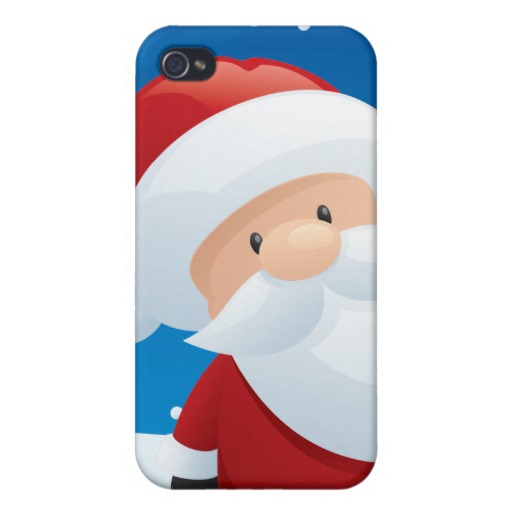
The Cartoon Santa ($10.95: iPhone 4/4S) is a great choice when you’re celebrating big day celebration. It’s a tough fabric material that makes it more elegant ensuring solid grip. The case doesn’t put too much bulk on your handset. Give it a try and find it great.
Cartoon Bumbling Rudolph

The Cartoon Bumbling Rudolph ($10.95: iPhone 4/4S) is an easygoing case with a Christmas touch mixing perfectly with Christmas atmosphere. It’s a light weight stuff which you don’t find making some glitches. It ensures all possible cutouts: controls, ports and sensors.
Hot Air Balloon
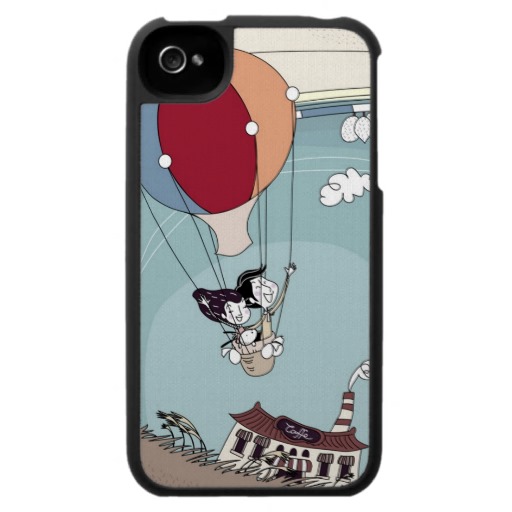
The Hot Air Balloon ($10.95: iPhone 4/4S) is a little kiddy phone that lets you remember your childhood days, the time when you loved to have such stuff. Apart from its look, it also offers great protection against cruel scratches and bumps. Thanks to genuine fabric that does a good job here.
Pen & Ink Blossoms

Girls must have this case ($10.95: iPhone 4/4S) as it’s a perfect combination of pink background and red leaves. The top class fabric puts an extra protection in this case. You are really going to have some good compliments from your friends and they’ll force you to tell them where did you get it?
5 Greeting Apps When You’re on Holidays

It’s the holy month right? Means holiday season is about to start, you see everything being decorated across the whole country. There are special dresses to be worn, sweet dishes to be cooked, and presents to be bought. Everything seems a little busy, you don’t have a time to choose some greeting cards for your family and friends. Don’t need to get worried as we bring 5 greeting apps that help you greet others.
Felt

There is nothing going to look better than a touch of handwritten notes on your greeting card. But Felt (Free) let you write your own note which is a best way to show your inner sentiments to someone. This app works perfectly on iPad where you find a large display to show your creativity.
Red Stamp

Due to digital communications and social networks, you have better opportunities to keep in contact with all your friends and siblings. All this advancement of technology has made people sophisticated as they don’t get amused easily. While Red Stamp (Free) offers a new touch of personalization along with editable photos and messages.
Martha Stewart

The Martha Stewart (free) features lots of seasonal themes & custom touches helping you make a decent greeting card for your loved ones. Your hands aren’t gonna get glitter and glue in the end.
Giftly

Giftly (Free) requires a nice photo and sappy text for a decent greeting card. It’s done superbly allowing you to write your sentiments for someone.
fCards

It’s a little tiresome task finding a greeting card for your loved one as it makes you irritate. The fCard ($0.99) is made for you, it sports a minimalistic design and personalized messages.
iOS 7 Acceptance Increases than Android 4.4 KitKat

Android device users are also as excited as the iOS users to grab the latest OS for their device. Though, most Android handsets cannot be upgraded unless the carrier shows a green signal for the new operating system, and normally it takes long time. Apple’s OS model avoids wireless network operators, which gives an edge to Apple over Android, that’s why iOS 7 acceptance increases than the Android 4.4 KitKat.

You would to be astonished to know that about more than half of the iOS users updated to the new iOS 7 in the North America within 7 days after the release, according to the Chitika Insights (an online advertising network). After 2.5 months later, the adoption rate of iOS 7 in the North America has increased up to 70%, giving it an edge over Android and a title of the fastest adopted operating system so far.

iPhone users seem quite quicker in adopting the new OS than the iPad users. After detailed speculation done by the Chitika Insights conducted between 25 October and 18 November, 74.1% of the iPhone owners have switched to the iOS 7, while only 63% of the iPad owners have updated to iOS 7. Amazingly, iOS 6 is still in the air and being used on 22.4% of the iPhones and 24.6% of the iPads. A very minor number (2.6%) of iPhone owners is still relying on iOS 5 while 8.8% of the iPad users are running iOS 5.

The adoption rate of Android OS remains far behind to that of iOS 7, as Google says in its newly released monthly breakdown stats, Google’s Android KitKat 4.4 has only 1.1% adoption rate of the Android devices. It’s important to keep in mind that Chitika conducted adoption rate only in the North America, while Google does it worldwide.
Handy tips for Your iPhone Browser

Safari is the one which Apple comprises with it’s iOS software, and perhaps it’s the one many of us use frequently, every click takes us to the safari as our default browser. Here are some handy tips for your iPhone browser.
If you are looking for things that can protect your privacy, you will need to turn-on the Do Not Track option in your mobile Safari and block cookies which are the bits of code that save your preferences on different sites you go.
Do Not Track is a particular feature which requires the collaboration of tracking software on the web. Go to Settings app > Tap on Safari > you will see Privacy and Security section which is located at the mid of the screen > Tap on Toggle Button, turn it ON. So you’ve enabled Do Not Track feature successfully.

If you want to block cookies, tap on Block Cookies > select block all the cookies (recommended), only from 3rd party advertisers and websites, or None at All > Tap Home Button. This is a way how you can block your cookies.
To enable Do Not Track in the Safari, open Settings and select Safari. Hit the toggle button located at the right side of Do Not Track. To block cookies in the Safari, choose Block Cookies in the settings and select either Always, or ‘’from 3rd advertisers and websites,’’ that’s my current setting. For more privacy enhancing options, scroll down to find two other options; Clear Data and Cookies, Clear History.
Scroll down the Safari’s settings to find two other privacy-enhancing options: Clear History and Clear Cookies and Data.
Spotify An iOS App Gets Updated

The Spotify an iOS app has been upgraded. As well as introducing new features, it comes with Browse function from iPhone to iPad version. As the name sounds, this allows you to browse curated playlist categories such as new releases, Rock, Chill, Pop, Top Lists and work out.
Browse swaps ‘What’s New Feature.’ If you are using this application on your iPad, you will get some features that can’t be observed on iPhone. The new update allows you to follow artists and friends to see their releases and playlists, a bit like the MySpace. Searching is now more responsive, and playlists have a bit shiny new look. All these innovative features will be available very soon on iPhone version, Spotify states.

So what’s new? iPad and iPhone users can choose to make the playlists public or private using toggle, before it was only on the iPad, login and sign up is now easier and more streamlined. It fixes a bug which occurred when especially sharing from iPhone to email, Twitter, or text message.

Have you tried this new Spotify app? What do you think about it? Let us know your feedback in the comment section below or on our Facebook Page.
Groundbreaking iPad Cases – A Brand New Range

This time we’ve brought some groundbreaking iPad cases coming with lots of new and innovative designs. Get ready for a brand new range of iPad cases.
Toffee
The Leather Folio ($98; iPad Air) is made from top class leather and comes with a clever stand which lets you prop up your iPad for typing and viewing in the landscape orientation.

Available in brown or black.
Targus
The FlipView ($50; iPad Air) is a kind of hard-shell folio that comes with a scratch resistant lining and lots of protective padding to save your iPad from scratches and bumps.

Available in blue, red, black, or cherry, and comprises a front cover which can be doubled as typing or viewing stand at multiple angles in the landscape orientation.
Pad & Quill
The Contega ($100; iPad Air) comprises a Baltic birch cradle which protects your iPad from scratches and bumps.

The bookbinding style case is now available in a wide range of leather and color options. It comes with a cover that can be adopted as a stand at different angles in the orientation.
New Trent
The Airbender 2.0 ($55; iPad Air) includes a wireless Bluetooth keyboard with a special clamshell case to save your tablet from bumps and scratches while you are on the go.

The case lets you prop up your tablet at multiple viewing angles while in use, so enjoy both portrait and landscape orientations.
MarBlue
The iScrible ($60; iPad Air), a brand-new folio style case made from genuine leather with microfiber interior which keeps scratches and bumps at bay.

It sports multiple pockets for stashing cards and other belongings, room for paper notepad, and a pen holder.
Griffin Technology
The Back Bay ($50; iPad Air) is a folio style case which opens like a book and comes with a screen that can be adopted as a viewing stand in the landscape orientation.

Available in black, beet, red polka dots, or black polka dots.
iPhone 5S Improves Apple’s Market Share in China, Samsung still leads

With the release of iPhone 5S, Apple reclaimed its position among the top 5 Smartphone manufacturers in the China during 3rd quarter.
But as usual the biggest gains in that period were done by the market leader Samsung, that saw its Smartphone Shipments soar 156 percent year over year.

In the China, Apple’s Market Share touched 8 percent as a result of 32 percent year over year rise in shipments, according to the Canalys (A research firm). Towards the termination of this period in September, the company released both its iPhone 5C and iPhone 5S models in a country.
Apple’s market share in China got the 5th position due to the shipment growth. The country was amongst the markets to get the Apple’s new iPhones earliest. Last year, the Chinese buyers had to wait some months before the Apple’s device arrived officially.

‘’iPhone 5S was the major driver of growth,’’ Nicole Peng said (An analyst at Canalys research firm). The demand for iPhone has been very high as the gold colored Champagne model sold for $1,630 amongst the un-official sellers in the China’s Grey Market, she said more.
Apple Focusing On iOS 7.0.3 Update

The upcoming iOS update, that would possibly be the iOS 7.0.3 update, might come with a solution for some major issues which are being faced by iOS users.
First off, it may bring a permanent and official fix for iMessage issue which continues to plague iPhone users. Secondly, it might fix an issue with the software that involves iPads which were given to some school districts.

It was approved by the Apple that it was focusing on iMesseage issues which have turned out since the launch of iOS 7 and couldn’t have been fixed even with the newly updates. Many iOS users are still having iMessage issues, and depending on text messages.
Some of the iOS users have been able to solve the problem by simply resetting their network settings, but this isn’t a permanent solution. With the iOS 7.0.3 update which is under testing and some rumors pointing to next week release, we can now expect a permanent solution to this problem.

Another main issue which is disturbing Apple is the one affecting iPads which were provided to the school districts for the ease of the students. There are some supervision profiles for the educators in the iOS 7 to monitor their students, but unfortunately these profiles aren’t working properly as they appear broken in iOS 7.


