Tag: featured
iPhone 5S Issues and Problems News Update

Apple admitted that a very small number of the iPhone 5S devices, company’s recent premier line of the units, are facing a problem that is affecting phone’s battery life.
Apple has talked about these defective units, according to PC Mag report. ‘’We discovered a manufacturing problem affecting a very limited number of iPhone 5S units that might cause the battery to get longer to charge and result in condensed battery life, ‘’ Apple stated in its statement. ‘’We’re reaching to the customers with the affected iPhones and will replace their affected phones with new ones.’’ However, Apple didn’t mention exactly how many units are affected.

Defective iPhones were confirmed by some customers themselves. iPhone 5S customers are about defective batteries, though it hasn’t been confirmed whether the iPhones are the ones exactly affected by the manufacturing issue that the Apple acknowledged.

The users of iPhone 5S are disappointed as these units didn’t live up to what Apple says, in terms of the battery life. An iPhone 5S should last ten hours of the talk time on a 3G and 250 hours on standby. The Smartphone should last for eight hours of the internet use of 3G and 10 hours on Wi-Fi or LTE. The handset also has an ability to watch videos up to 10 hrs, and listen music up to 40 hrs.
iOS 7 Creating Sluggishness In Your iPhone?

Some iPhone users who’ve installed and downloaded iOS 7 on their iPhone 4S, now have started facing some sluggishness on their Smartphones. Even some of them have shown their intentions for iOS 6 as this new operating system isn’t suitable for them.
Here we’ve a solution for you if you want to see your iPhone with the new operating system without creating any kind of sluggishness. Apple turned off the visual effects in the iOS 7 for iPhone 4. Users can now stop iOS 7 from testing data when comes to the 3rd party applications. All that you need to do is to go into the Settings > General > Background > select Background application refresh. Users are now able to make up for the decreased performance on iPhone 4 if you’ve enough free space on your device.

Other methods can be adopted to make up the efficiency of iPhone. There’re some people who’ve tried to reinstall from the scratch. If this procedure convinces you then you need to have enough space for this procedure.
If you want to restore the performance back to your iPhone, you should develop a system restore but do not put the data back onto your device. This must stop the burden on A4 processor on the iPhone 4, TidBITS editor said.
iPhone 4S has A5 processor and so it’ll be ok following the update, same would apply to iPhone 5. So if iPhone 4 performing slowly, you may follow the above-mentioned steps.
Say Goodbye to Blur Effect in the iOS 7
For those who aren’t content with the blur effect in the iOS 7 as it adds nothing except disappointment, here’s something for you down here.

There’s a lot of new features added in the latest iOS 7 and one of them is a blur effect that is causing some problems. You may have tasted this effect if you have an iOS device running iOS 7.
In addition to eliminating this blur effect, Guiding Tech claims that it’ll improve battery life and performance on the older iPhones running iOS 7. I can’t endorse this claim, but if you are having many issues with the latest iOS 7 on an iPhone 4S or 4.
But you can now put this issue into the trashcan by simply following these steps Setting > then General > and Accessibility.

Once you have navigated to the section of Accessibility, find the option named Increase Contrast and then select it. Switch to On, and instantly pull up the Control Center or pull down the Notification Center.
 You should observe a radical change in the general appearance of both. Moreover, you will also find the subtle changes in the whole operating system, both in & out of the applications. Another sure place where you see this is in the Messeges when you’re typing a message.
Neurocam Scans Your Brainwave Activities

There’s a weird sort of device out there called Neurocam, operating with an iPhone, a brainwave reader and a mirror to click photos when you show some interest in what you are looking at. The design of Neurocam uses a simple setup has a sensor and a head mount.

The awkward thing about this setup is the brainwave reader that connects to your head. With the help of this sensor Neurocam scans your brainwave activities when your Brainwave Readout reaches to the 60 ( a specific scale that starts from 0 to 100), the device tells the iPhone to take a photo. iPhone is fixed with a prism so that its camera can grab the footage according to your mind. At the same time, EEG scans your brain activity that shows your interests. After that, you will find some photos on your Smartphone of things you are interested in. Sounds great isn’t it?

The Neurocam contains a prism to keep your iPhone flat against your noggin. One thing that users don’t like is the iPhone sitting so near to one’s head for long periods of time. There’s also a concern over the radio waves that might cause brain damage because your Smartphone is sitting so close to your head for a long period of time.
Check it out a video from DigiInfo TV down here.
So a device like Neurocam is not necessarily the ideal solution in the end. But it can be used to gain some public hype as the idea is unique. I think it’s a way to promote iPhone indeed.
iPad Space Flex Enclosure: Flex Your Tablet

New iPad Space Flex Enclosure combines all that you wanted to see in an enclosure, with a flexible arm mount you can adjust it according to your desires. Perfect for education, health care, and office environments.

For wide range of locks, Visit Apple Locks
The new iPad Space Flex Enclosure reduces all possible theft attempts, no need to think extra about your tablet as this innovative enclosure has been made to give you a relief. All Bluetooth, 3G radio and wifi frequencies are completely uninterrupted by this nifty enclosure.

Get Free Shipping Service on all U.S. Orders, Need to spend only $99
Specs & Features
- Top Class aluminum structure
- View portrait or the Landscape orientation with 90’ rotation
- Well Compatible with the iPad Mini
- Flexible arm mount perfect for wall mounting and corners
- Contains padding for the solid protection of your iPad mini
- Can be worked when you’re charging your tablet
- Can work with any kind of cable lock available in the market using a built In security slot
Price: $159.95

10% Off discount package only for cafeios readers on whole purchasing
3 Fearsome iPhone Games For Teenagers

We’ve come with a scary stuff that includes 3 fearsome iPhone games. You’ll love our assortment as these three games are just going to rock your device.
Plants vs. Zombies

A frightening game that combines plants and zombies developed by PopCap. All that you need to do is to grow some various kinds of plants in your own lawn, the problem arises when the cruel zombies invade your nifty lawn, your task is to protect your lawn from these zombies. There’s a big drama is waiting for you. You would feel better when you go for some wise strategies that can really repel zombies.
Limbo

The Limbo is an award winning puzzle game that puts the game player into a scary world. There are lots of creepy characters you’re gonna see in this game that create a terrifying atmosphere. The Limbo is being rocked by game addicts as it’s a great entertainment for them.
Walking Dead: The Game

It’s one of my favorite games that’s why I discuss it lastly, it is utterly horrifying and zombie themed game that creates real fear among the game players. It is based on Robert Kirkman’s comics, and there’re six stages to play through.
Playing Walking Dead: The Game gives a great experience as you’re watching a movie with your controls. You will need to make some quick decisions, but think twice before you do anything.
Newly Launched iOS Apps For iOS users
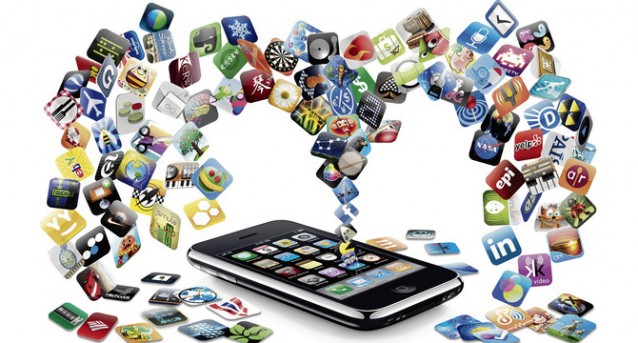
It’s always very difficult to come with some newly launched iOS apps every week. We’ve some innovative apps for your device that’ll really enhance your experience of getting entertained.
Twitter/Tweetbot 3

Twitter for iPad and iPhone has been modernized so that your photos or videos can be watched easily within the timeline, no need for a new window. Tweetbot 3 ($3) is a Twitter client for the iphone that released early in this week, especially redesigned for the iOS 7 comprising mute filters, support for read-it-later service, and Native Push Notifications.
Slow Fast Slow

The Slow Fast Slow ($2) a video app for the iPhone users that let you shoot at some high frame rates. Now the users can make their own Slow Motion highlights simply using your iPhones.
Skimbox

Skimbox is a new iPhone email client let the users get mythical ‘’inbox zero,’’ allowing them to distribute some important emails to ‘’mainbox,’’ and everything else to archives or trash.
Level Money

Level Money (free) is an iPhone application which allows the users to stay on the budget with a graphic reminder. The users can now eyeball their most recent status without calculating any math in their minds. Amazingly, this app is supported by multiple top level American banks.
Gneo

Gneo ($3) for iPad and iPhone, distinguished by its simple but elegant user interface. The users can now keep their schedules and priorities to their To Do lists, and can set reminders within the application. Above all they can sync all their actions with the Evernote account.
Apple Focusing On iOS 7.0.3 Update

The upcoming iOS update, that would possibly be the iOS 7.0.3 update, might come with a solution for some major issues which are being faced by iOS users.
First off, it may bring a permanent and official fix for iMessage issue which continues to plague iPhone users. Secondly, it might fix an issue with the software that involves iPads which were given to some school districts.

It was approved by the Apple that it was focusing on iMesseage issues which have turned out since the launch of iOS 7 and couldn’t have been fixed even with the newly updates. Many iOS users are still having iMessage issues, and depending on text messages.
Some of the iOS users have been able to solve the problem by simply resetting their network settings, but this isn’t a permanent solution. With the iOS 7.0.3 update which is under testing and some rumors pointing to next week release, we can now expect a permanent solution to this problem.

Another main issue which is disturbing Apple is the one affecting iPads which were provided to the school districts for the ease of the students. There are some supervision profiles for the educators in the iOS 7 to monitor their students, but unfortunately these profiles aren’t working properly as they appear broken in iOS 7.
Want To Know How Can One Edit Photos In iOS 7?

Both iPad and iPhone are turning into the excellent point & shoot camera killers, Apple has kept working on improved camera modules for its iOS users, but you’re going to do with those pics that you took on your iPad or iPhone? Perhaps, you’ll transfer them to your PC where you can easily edit them with your desired photo editor. What would be your reactions when you come to know that you can edit photos in iOS 7 devices?
If you aren’t happy with how your photo turned out, you may either go for another one, or edit the photo you have already. If you want to edit any photo on iOS 7, open Photos App > choose your photo which you want to edit > tap the Edit button that is located on the top right corner.

You can do some basic edits with the Photos app such as enabling auto-enhance, rotating a photo, adding filters, cropping and get of red eye. If you are curious about auto-enhance feature, it adjusts color and exposure of your photo to make it more elegant, it’s really pretty cool and requires only one tap.

If you edit with iPhoto, it is no more different from Photo app, but it takes some features into a whole new concept. There’s a new feature ‘’Brushes’’ that let you perform edits in particular areas of photos by simply brushing with your finger. You can add white and black filters to your photos and also control the contrast that a filter applies.
Apple Confesses Battery Life Issue affecting iPhone 5S Models

A statement has come from Apple in which Apple confesses battery life issue that is affecting some iPhone 5S models. These models have a manufacturing issue which results in poor battery life that might be disappointing many iOS users.
‘’We just discovered a manufacturing issue that is affecting a very selected number of the iPhone 5S which may result in poor battery life or cause the battery to get a longer time to charge,’’ Teresa Brewer (An Apple spokeswoman) said. ‘’We’re reaching out to the customers with affected iPhones and will replace them with new ones’’.
No exact number was provided as to how many models are affected, but we are assuming that the company would not have issued the launch if it was not significant. The iPhone 5S found to be the longest-lasting handset to-date in our review. If you are one of those victims who’re facing poor battery life issue, let us know about it in the comment section below.

It’s still in the air that how many iPhone 5S models are exactly affected, but NYT (New York Times) speculates it is at least a few thousand based on a fact that the Apple sold 9 million new handsets the weekend the new handset launched.


