
Addison Mel
Addison is an instructor of game design and multimedia developer in some technical college; he is also an active member of Microsoft gaming and app precincts.
Google+


Addison Mel's Latest Posts
Apple iPhone 5S Vs Google Nexus 5; Who Wins?

Apple iPhone 5S and Google Nexus 5 released out almost together. They are completely different from each other. The confusion starts when you’ve to decide which one is best. We might help you as we’ve come with Apple iPhone 5S Vs Google Nexus 5 making it easier for you to choose the best of them.
Design Comparison
iPhone 5S is a decent looking Smartphone with outstanding build quality. However, iPhone 5S isn’t as big as its rivals, it is something you’d love to own. It’s just 7.3mm slim & 112g (3.95oz) heavy.

When we talk about Nexus 5, it’s also light weight. This handset weighs only 130g (4.59oz) and 8.59mm slim. This Smartphone does not have a glass back like its forerunner as it contains rubberized plastic to protect its back side this time.
Display
The display is one of the main factors that comes to one mind while buying a Smartphone. iPhone 5S has 4’’ Retina Display with a capacitive touchscreen. iPhone 5S is using 640 x 1136 pixels with the density of 326 ppi.

The Nexus from Google is denoted by its large screen display. The phone comes with a 4.95’’ HD Display along with IPS technology. The phone’s resolution is 1080 x 1920 with the density of 445 ppi.
Disk space
iPhone 5S comes in 3 different models based on storage capacity, 16GB/32GB & 64GB. There is no any slot for a memory card in iPhone 5S.
Nexus 5 also has no slot for the memory card. Comes in 2 two models, 16GB & 32GB.
Camera
iPhone 5S has an improved camera with some new enhancements and also some additional features. It comprises an 8MP rear camera along with 1.2MegaPixel front camera.

Nexus 5 has also 8MP rear camera along with 1.3MegaPixel front camera. Moving and low-light conditions don’t affect it as it has Optical Image Stabilization Technology.
Hands On With New iPhone Cases

There are lots of new iPhone cases that you’re going to see in our new collection of iPhone cases this week. It would be awesome when you get some attention due to a nifty case, keeping that in mind, we’re bringing one of the sophisticated iPhone cases for you.
Tommo
The Genesis System (price unavailable) for iPhone 5 & 5S celebrates the 25th anniversary of the Saga’s gaming system with a case which comes with a look of Genesis right to your iPhone.

The case comprises a screen protector, and you can see some possible cutouts ensuring your access to your handset’s every button, port and camera.
Toffee
The Flip Wallet ($60) for iPhone 5 & 5S is made from top class leather for a decent look which looks good and feels great. The folio-style design of this case protects your iPhone’s screen and offers you enough room to stash up to 5 plastic cards.

Available in brown or black.
PureGear
The company’s Retro Game cases have been modernized for a better compatibility with the Apple’s new iPhone models.
 Comes in black or grey, each model comes with a real and old school maze game that you can enjoy, even when your iPhone is turned off.
Naztech
The Vertex 3 ($25; iPhone 5C) comes with inner silicone lining which helps protect your handset from all possible shocks, and scratches won’t come due to its hard polycarbonate outer shell.

The case comes in blue, black, white or pink highlights, also features an extra screen protector.
Lifeproof
The Fre ($80; iPhone 5 & 5S) is dirtproof, snowproof, and waterproof with extra protective qualities which help keep your iPhone safe and sound during active use.
 The case features a complimentary screen protector, particularly designed to be well compatible with your iPhone 5S’s touch ID detector.
iSkin
The Vera ($45; iPhone 5 & 5S) is made from high quality faux leather and comes with a folio design. it also comes with a built-in business/credit card holder. The case saves your handset’s back and front with a fabulous look.

Available in textured black, white, snakeskin red and brown.
New iPad Security Stand For Decent Look

If you’re serious in protecting your tablet from scratch and bumps, we have a solution for you that will really help in securing your valuable tablet. Get ready for new iPad security stand that will give your tablet a new look.

For more locks information, Check out Apple Locks
One thing about this lock stand which hit me, you can fix it to any fixed object using screws. It combines all the benefits that you want to have in any security stand. Perfect for Health care, Education, and corporate environments.

Get free shipping services On all U.S. Oders, Just spend only $99
Specs
- High-class aluminum structure
- Compatible with your iPad Mini
- Enjoy both portrait and landscape orientation
- Infinite tilt for every kind of viewing
- Comprises padding for solid protection
- All Bluetooth, Wi-Fi & 3G radio frequencies are completely uninterrupted
- Can fit with any kind of cable lock simply using a Built-In security slot
- Can be worked while charging
Price: $159.95

Only Cafeios readers can get 10% off the whole amount
How to get Black Berry Messenger on iPhone and iPad

Do you find yourself lost without Black Berry Messenger despite all the whistles and bells of your iPhone? You are in luck. Now, you can download BBM (Black Berry Messenger) from the AppStore, for absolutely free of cost. So lets use it like any other messaging app. Here is how to get Black Berry Messenger on your iPhone or iPad.
Step 1; Download Application

First off, open the AppStore and search for Black Berry Messenger. The official BlackBerry app should be at the top, it is a totally free application. Click ‘’Download’’ and you are fine on your way to Black Berry Messenger.
Step 2; sign up or Log in

Sign in with a current BBM ID or Log in for a new one. For those who’re unfamiliar with this application, BBM’s ID is the best novelty itself. Instead of putting your name, phone number or email address like in other services, you are identifiable by unique BBM Pin Number, connected to the BlackBerry ID.
Step 3; Message away

Remember one thing this app is optimized for iPhone 5, but as far as your cellular + Wi-Fi enabled device is having iOS 6 or later, you should not have any issues with it. Black Berry Messenger is well compatible with the iPhone and most Cellular + Wi-Fi iPads & iPad Minis, comprising iPad Air and iPad Mini (Retina Display). Means BBM isn’t made for iPod Touch users.
iPhone 5S (16GB) Has Become The Fastest Selling Model in the UAE

iPhone 5S (16GB) has become the fastest moving model and is estimated to be sold out early in this week, The top retailers told Cafeios.
Main retailer’s stores remained open for about an hour and the fans of iPhone 5S (16GB) were queuing up to put their hands on this handset.
‘’We’re good at stock conditions. We have only a limited iPhone 5S (gold) and have to struggle for every single piece we got. So, we’ve a better allocation than we projected,’’ Ashish Panjabi (COO Jacky’s Electronics) said.

He also said that more sales are on the iPhone 5S than iPhone 5C and there are still more enthusiasts waiting for their one.
iPhone 5S is vended in UAE and its full description is given below here.
- Dh2,749 for 16GB
- Dh3,149 for 32GB
- Dh3,549 for 64GB
While iPhone 5C holds a price tag of Dh2,749 (32GB) and Dh2,349 (16GB).

Some new iOS 7 features like 3D navigation, turn by turn navigation, iMessage, Facebook facetime, etc aren’t recently available in UAE. The demand for iPhone 5S is huge while iPhone 5C is cheaper than 5S with a difference of $100. iPhone 5C is also available in multi-colors but all went in vain as we don’t see any response from public.
Which Smartphone 2013 is Ideal For Gaming?

If you’re one of those game addicts who want to know which Smartphone 2013 is ideal for gaming experience, this post will give you answer.
There’ve been around 15 Smartphones released to date, and there could be some more before this year ends. Samsung Galaxy 4S is being considered ideal for gaming.

Have a peek at comparative specifications. iPhone 5S has a 4-inch screen display, and Galaxy 4S has 5-inch screen display. Screen resolution of iPhone is about 640 x 1136 pixels while the Galaxy 4S is about 1080 x 1920 pixels.
The iPhone 5S is developed by dual core (1.3 GHz processor), while the Samsung Galaxy 4S is developed by quad core 1.9 GHz processor. But it wouldn’t be a big deal when you play some online casino games as they don’t have any heavy specs to play, and doesn’t make any difference when you’re playing Angry Birds application, but when you talk about some heavy multiplayer-console quality games. iPhone may be able to run this sort of heavy stuff, but the Samsung Galaxy S4 is doing a good job with these kind of heavy stuffs.

The Samsung Galaxy S4 does have some competitors other than iPhone 5S. For example, Motorola Razor I is a fine all rounder, Huawei Ascend P6 have a great value for money, there’re some files on HTC One X+. The Sony Xperia Z1 is the most ideal phone to come from Sony, However Samsung Galaxy S4 remains at the top.
iOS 7 Creating Sluggishness In Your iPhone?

Some iPhone users who’ve installed and downloaded iOS 7 on their iPhone 4S, now have started facing some sluggishness on their Smartphones. Even some of them have shown their intentions for iOS 6 as this new operating system isn’t suitable for them.
Here we’ve a solution for you if you want to see your iPhone with the new operating system without creating any kind of sluggishness. Apple turned off the visual effects in the iOS 7 for iPhone 4. Users can now stop iOS 7 from testing data when comes to the 3rd party applications. All that you need to do is to go into the Settings > General > Background > select Background application refresh. Users are now able to make up for the decreased performance on iPhone 4 if you’ve enough free space on your device.

Other methods can be adopted to make up the efficiency of iPhone. There’re some people who’ve tried to reinstall from the scratch. If this procedure convinces you then you need to have enough space for this procedure.
If you want to restore the performance back to your iPhone, you should develop a system restore but do not put the data back onto your device. This must stop the burden on A4 processor on the iPhone 4, TidBITS editor said.
iPhone 4S has A5 processor and so it’ll be ok following the update, same would apply to iPhone 5. So if iPhone 4 performing slowly, you may follow the above-mentioned steps.
Say Goodbye to Blur Effect in the iOS 7
For those who aren’t content with the blur effect in the iOS 7 as it adds nothing except disappointment, here’s something for you down here.

There’s a lot of new features added in the latest iOS 7 and one of them is a blur effect that is causing some problems. You may have tasted this effect if you have an iOS device running iOS 7.
In addition to eliminating this blur effect, Guiding Tech claims that it’ll improve battery life and performance on the older iPhones running iOS 7. I can’t endorse this claim, but if you are having many issues with the latest iOS 7 on an iPhone 4S or 4.
But you can now put this issue into the trashcan by simply following these steps Setting > then General > and Accessibility.

Once you have navigated to the section of Accessibility, find the option named Increase Contrast and then select it. Switch to On, and instantly pull up the Control Center or pull down the Notification Center.
 You should observe a radical change in the general appearance of both. Moreover, you will also find the subtle changes in the whole operating system, both in & out of the applications. Another sure place where you see this is in the Messeges when you’re typing a message.
iPad Space Flex Enclosure: Flex Your Tablet

New iPad Space Flex Enclosure combines all that you wanted to see in an enclosure, with a flexible arm mount you can adjust it according to your desires. Perfect for education, health care, and office environments.

For wide range of locks, Visit Apple Locks
The new iPad Space Flex Enclosure reduces all possible theft attempts, no need to think extra about your tablet as this innovative enclosure has been made to give you a relief. All Bluetooth, 3G radio and wifi frequencies are completely uninterrupted by this nifty enclosure.

Get Free Shipping Service on all U.S. Orders, Need to spend only $99
Specs & Features
- Top Class aluminum structure
- View portrait or the Landscape orientation with 90’ rotation
- Well Compatible with the iPad Mini
- Flexible arm mount perfect for wall mounting and corners
- Contains padding for the solid protection of your iPad mini
- Can be worked when you’re charging your tablet
- Can work with any kind of cable lock available in the market using a built In security slot
Price: $159.95

10% Off discount package only for cafeios readers on whole purchasing
Newly Launched iOS Apps For iOS users
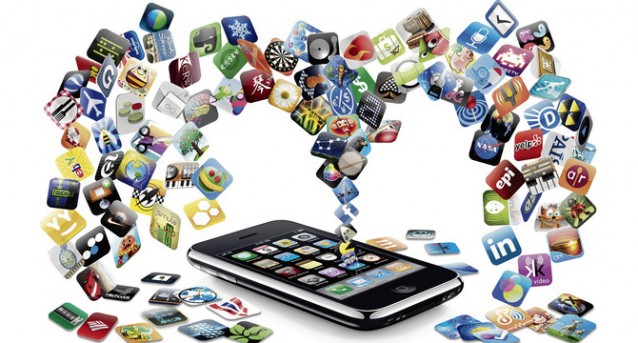
It’s always very difficult to come with some newly launched iOS apps every week. We’ve some innovative apps for your device that’ll really enhance your experience of getting entertained.
Twitter/Tweetbot 3

Twitter for iPad and iPhone has been modernized so that your photos or videos can be watched easily within the timeline, no need for a new window. Tweetbot 3 ($3) is a Twitter client for the iphone that released early in this week, especially redesigned for the iOS 7 comprising mute filters, support for read-it-later service, and Native Push Notifications.
Slow Fast Slow

The Slow Fast Slow ($2) a video app for the iPhone users that let you shoot at some high frame rates. Now the users can make their own Slow Motion highlights simply using your iPhones.
Skimbox

Skimbox is a new iPhone email client let the users get mythical ‘’inbox zero,’’ allowing them to distribute some important emails to ‘’mainbox,’’ and everything else to archives or trash.
Level Money

Level Money (free) is an iPhone application which allows the users to stay on the budget with a graphic reminder. The users can now eyeball their most recent status without calculating any math in their minds. Amazingly, this app is supported by multiple top level American banks.
Gneo

Gneo ($3) for iPad and iPhone, distinguished by its simple but elegant user interface. The users can now keep their schedules and priorities to their To Do lists, and can set reminders within the application. Above all they can sync all their actions with the Evernote account.


